

Send pretty emails
meteor add yogiben:pretty-email
What this package does
- Replaces boring default Meteor emails
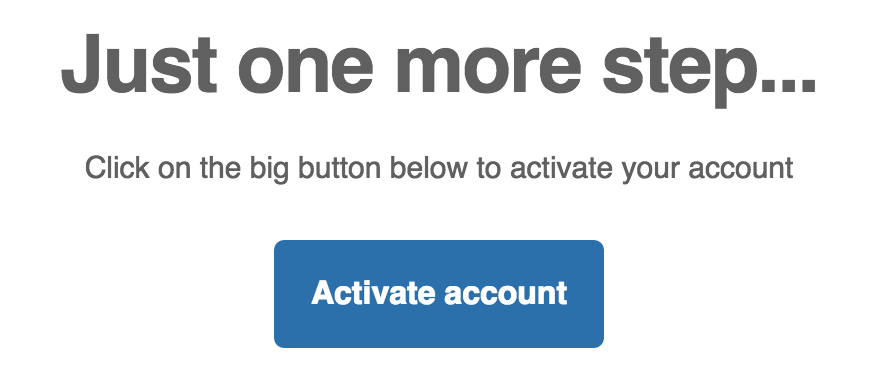
- Easily send pretty emails with call to action buttons
Usage
-
Install the package
-
Set up global options
e.g.
PrettyEmail.options =
  from: 'support@mycompany.com'
  logoUrl: 'http://mycompany.com/logo.png'
  companyName: 'myCompany'
  companyUrl: 'http://mycompany.com'
  companyAddress: '123 Street, ZipCode, City, Country'
  companyTelephone: '+1234567890'
  companyEmail: 'support@mycompany.com'
  siteName: 'mycompany'
- Send your emails
Accounts.sendVerificationEmail Meteor.userId()
Accounts.sendResetPasswordEmail Meteor.userId()
Accounts.sendEnrollmentEmail Meteor.userId()
or using template
PrettyEmail.send 'call-to-action',
  to: 'myuser@myuser.com'
  subject: 'You got new message'
  heading: 'Your friend sent you a message'
  message: 'Click the button below to read the message'
  buttonText: 'Read message'
  buttonUrl: 'http://mycompany.com/messages/2314'
Templates
Call to action

PrettyEmail.send 'call-to-action', options
Options
from - required
to - required
subject - required
heading - required. Primary heading
headingSmall - optional. Secondary heading
message - required. Message to the user (e.g. 'Your bill has been paid')
buttonText - required. e.g. 'See your bill'
buttonUrl - required. e.g. 'http://mycompany.com/bills/12341234'
Basic

Similar to call-to-action template except that it doesn't have a button and text is not centered.
Options
from - required
to - required
subject - required
heading - required. Primary heading
headingSmall - optional. Secondary heading
message - required. Message to the user (e.g. 'Your bill has been paid')
Global options
You can set your options globally with PrettyEmail.options object. PrettyEmail.send will merge this object with options argument so you can put here some other values (e.g. from to subject).
showFooter - default true
showFollowBlock - default true
facebook twitter googlePlus instagram pinterest youtube linkedin tumblr website email - links to specific social medias
companyName - name of your company (must be specified otherwise footer won't be rendered)
companyUrl - url of your company website
companyEmail - email of your company
companyAddress - address of your company
companyTelephone - telephone number of your company
siteName - name of your website
Custom style
You can change the style of your emails by manipulating PrettyEmail.style object. See default values below:
PrettyEmail.style =
  fontFamily: 'Helvetica'
  textColor: '#606060'
  buttonColor: '#FFFFFF'
  buttonBgColor: '#007FFF'
Customizing Accounts emails
You can change the text in the verification email etc.
e.g.
PrettyEmail.defaults.verifyEmail =
  heading: 'Need to activate your account'
  buttonText: 'Activate'
  ...